Home / App Guide / Visitors and Planning / Hawker centres
How to find hawker centres in Singapore and check if they are closed for cleaning
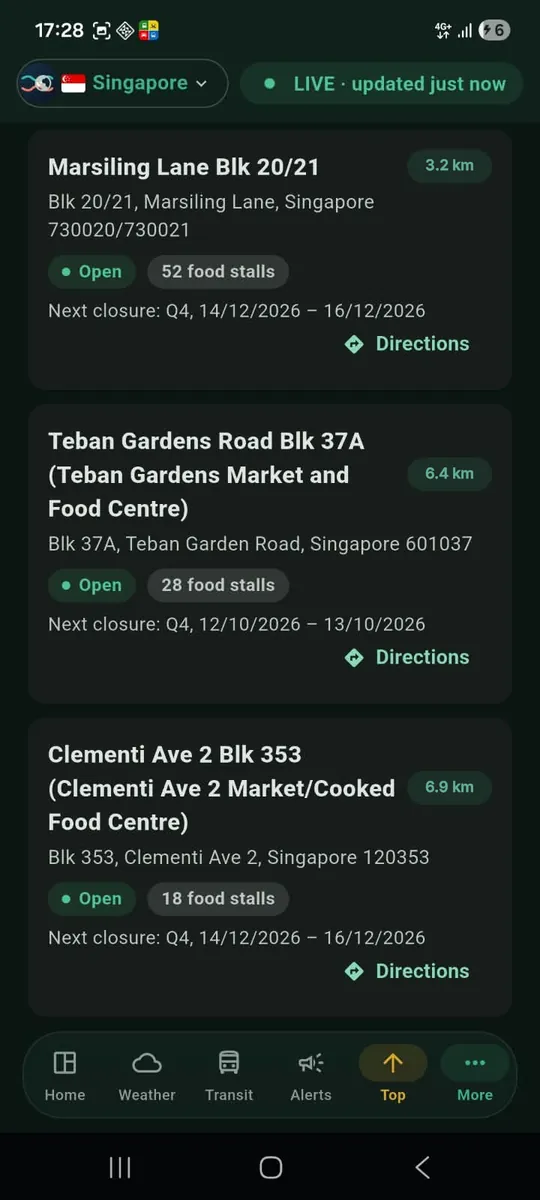
Short answer: open Hawker Centres, allow location and the nearest centres appear first. Check each centre's status for scheduled cleaning or repair closures, then tap Directions.
What you will see
- A list of hawker centres sorted by distance when the app knows where you are.
- A status for each centre, showing whether it is closed today for scheduled cleaning or repair work.
- A search box and an Open filter. Open means no cleaning or closure window covers today.
- A Directions button on every card.
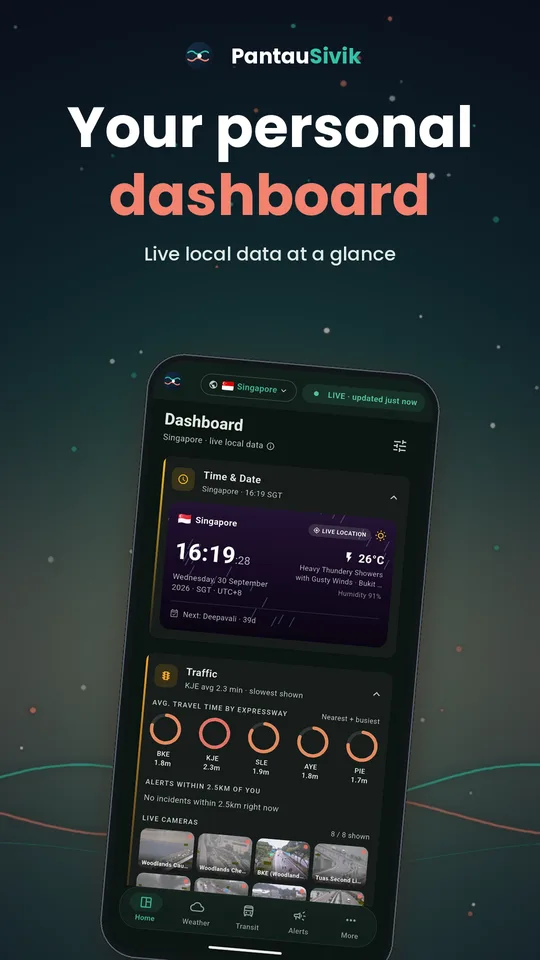
- A Hawker Centres card on your dashboard for a quick look, and hawker centre markers on the map.
How to use it
- Open Hawker Centres from the dashboard card or the More menu.
- Allow location so the list can start with the closest centres. You can also search for a centre or an area by name.
- Look at the status on each card. A centre inside a cleaning or closure window is shown as closed.
- Turn on the Open filter to hide centres that are closed today.
- Tap Directions to plan the trip. It starts with walking when the centre is under about 2 km away, and with bus and MRT or LRT when it is farther. You can change the route in Trip Planner.
Why centres close
Every hawker centre gets a regular deep clean, usually scheduled in quarterly windows during the year. Some centres also close for other repair works. These windows are published ahead of time, so you can check before you head out and avoid a wasted trip.
Tips
- Check the status before a long trip, especially at the weekend or the start of a quarter.
- Closed today does not mean closed for good. A closure window has a start and an end date, so the same centre may be open tomorrow.
- Craving a specific stall? Check it separately, because stalls can take their own breaks.
Good to know
The list of about 120 hawker centres and their closure schedule come from public National Environment Agency data and are refreshed daily. The app does not show stall opening hours, menus or crowd levels, because that data is not published. Hawker centres are a Singapore feature.
Information comes from public sources and is there to help you plan. PantauSivik is independent and not affiliated with any government agency. Screens and wording can change a little between app versions.
Frequently asked questions
Does PantauSivik show which hawker stalls are open?
No. It shows each hawker centre and whether the centre is in a scheduled cleaning or repair window. Individual stall hours are not in the public data.
Does it show how crowded a hawker centre is?
No. There is no crowd or queue data for hawker centres, so the app does not show any.
How do I know a hawker centre is closed today?
Each centre shows a status. If a scheduled cleaning or closure window covers today, it is marked as closed. Use the Open filter to hide those.
How often is the hawker centre data updated?
The list and closure schedule are refreshed daily from public National Environment Agency data.
Can I get directions to a hawker centre?
Yes. Each hawker centre card has a Directions button. It suggests walking for short distances and public transport for farther ones.
See also: What is new in 1.25.0, Recycling and BCRS return points.
Spotted a mistake? Report an error on this page.